Catches it
before it costs you.
The restaurant point of sale that watches every shift with you, and tells you while there's still time to fix it.
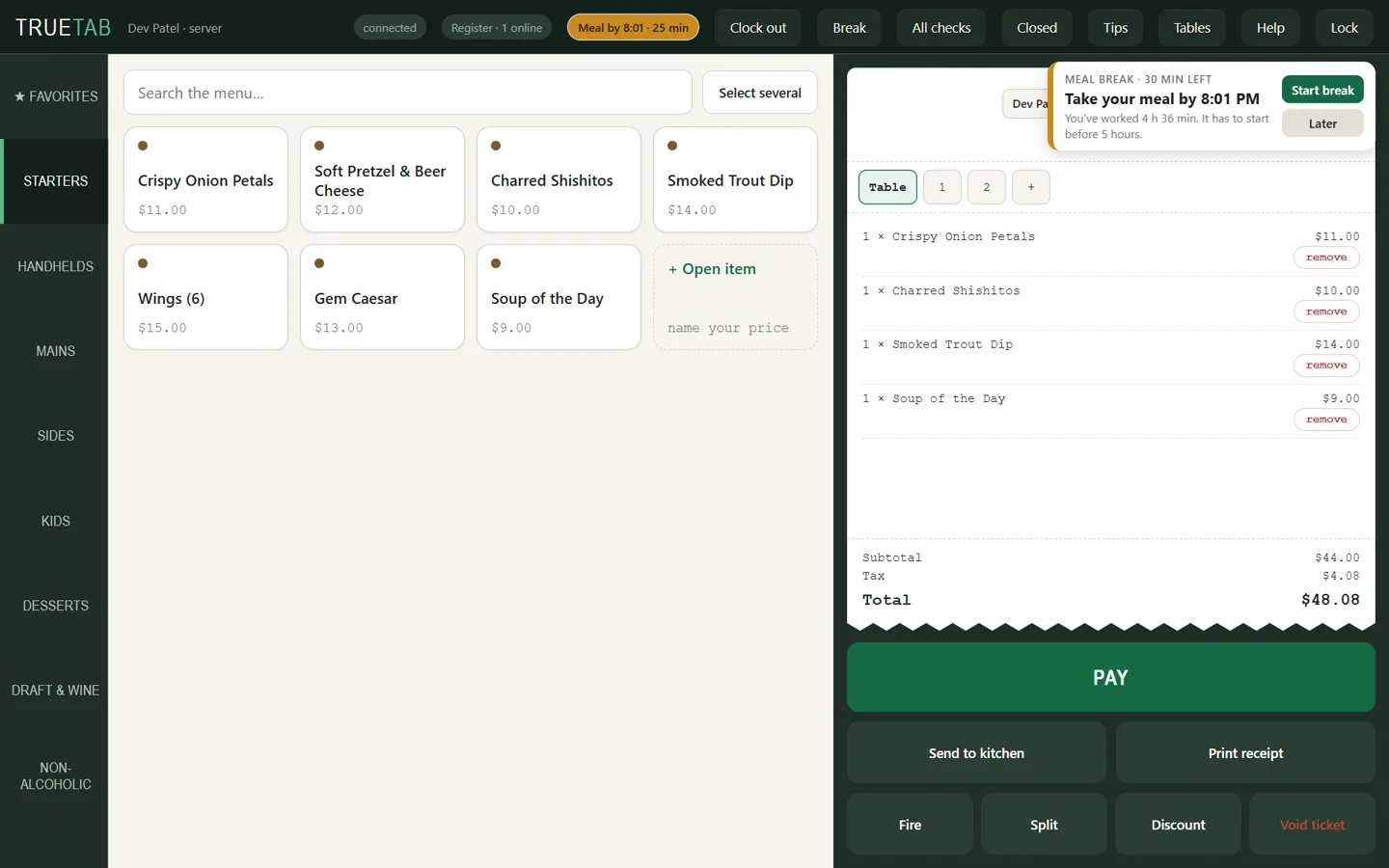
Restaurants lose money one shift at a time. A meal break that starts late. Overtime nobody planned. A void no one approved. Tips split by guesswork. TrueTab speaks up during the shift.
See a whole shift.
From the register to the owner's phone, every screen in the film is TrueTab, running a demo restaurant.
Run the register
yourself.
This is the real TrueTab register, running in your browser with a demo restaurant mid-service. Seat a table, ring it in, send it, take the money. Nothing is charged, printed or kept.
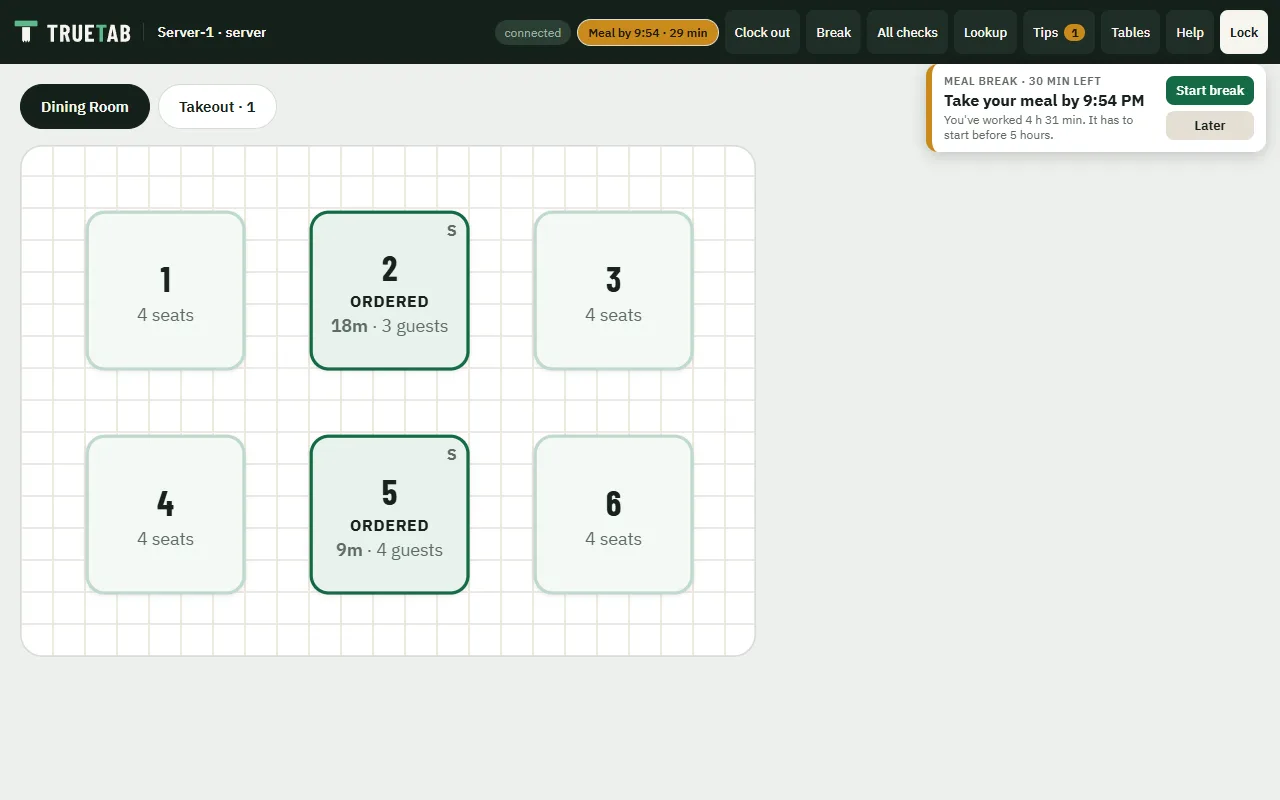
- 1111Server-1, whose meal break is coming due
- 2222Server-2
- 2580The manager
- Tap an open table and pick how many guests.
- Add dishes. Pick a seat first to put a dish on it.
- Send to kitchen, then Pay by card or cash.
- Void a dish that went to the kitchen: a manager types 2580, or tap Ask a manager's phone and the owner answers.
- Split table 2 by seat or evenly.
- Wait a minute: the kitchen calls food up.
Made for a tablet or a computer. On a phone, open it full screen and turn the phone sideways.
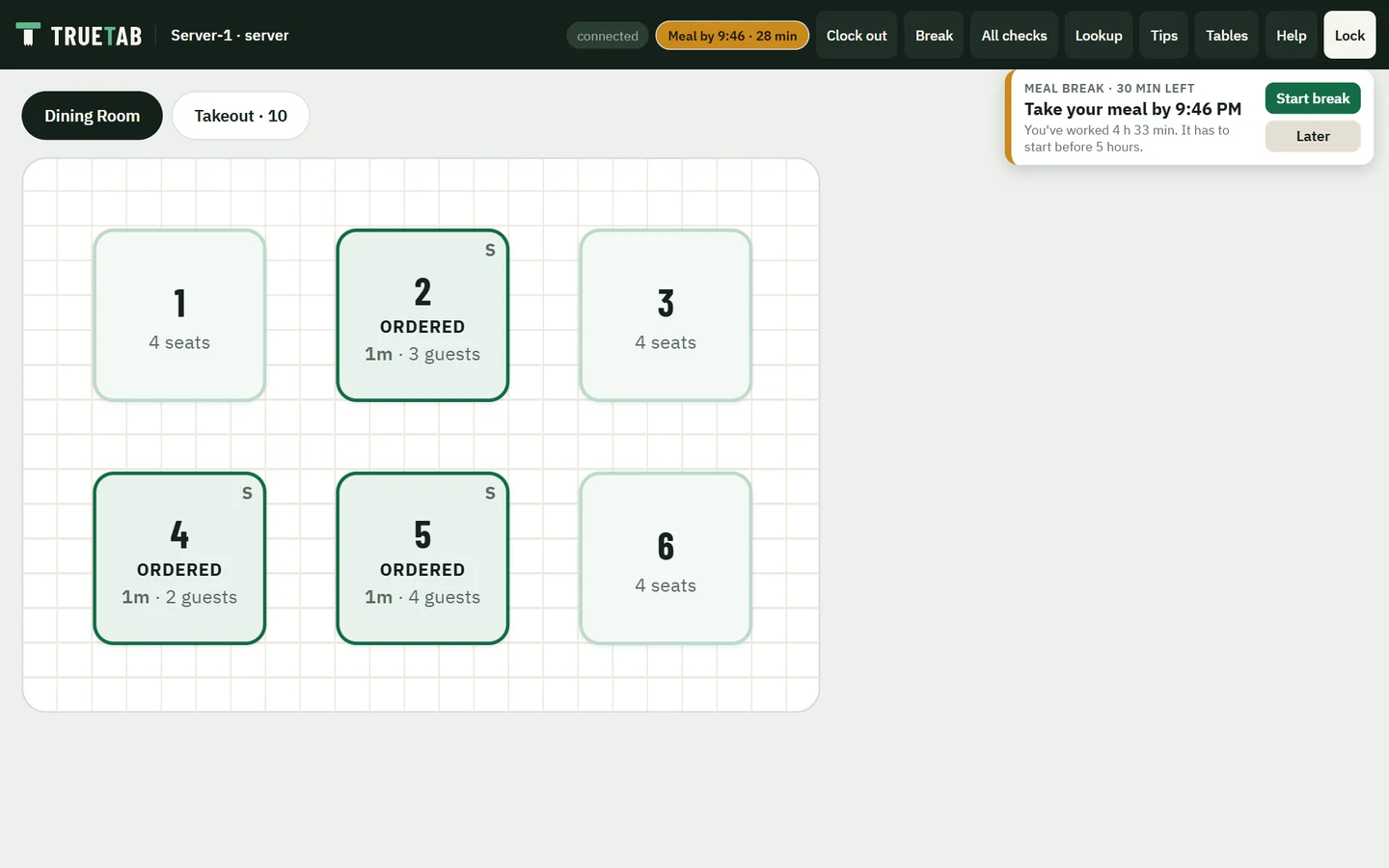
Meal breaks, counted down on the till.
- 7:39 PM
Thirty minutes before Server-1's deadline, the register says so, with the time to take it by.
- 7:48 PM
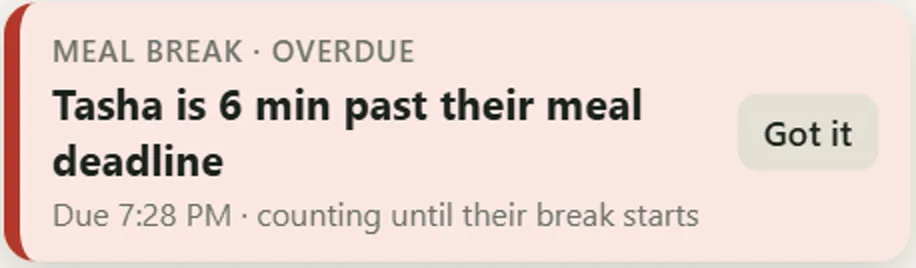
Server-2 is past theirs. Every manager's register shows it in red, counting until the break starts.
- 7:48 PM
Your phone hears about it too, with the premium it costs.
A server on a meal break can't ring orders. Managers hear before anyone goes into overtime. At clock-out everyone is asked if they got their breaks, and the answer is kept.
Approve voids
from anywhere.
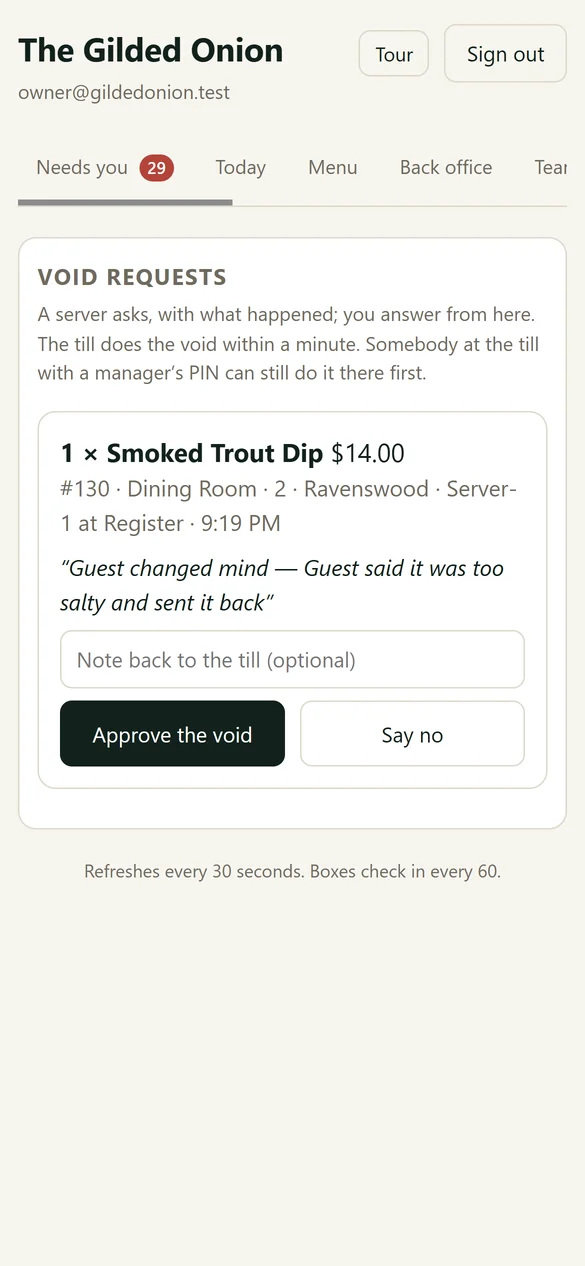
Table 2 sent back a dip. The server asks for the void and says why. You tap Approve on your phone, and the register does the rest within a minute.
The server says what happened before it reaches you.
Whoever answers first, the register hears.
A server asks, with what happened; you answer from here. The till does the void within a minute.
Try it: tap a button
A manager at the register can approve it there instead.
From your phone to every register and the kitchen.
Most POS systems need a manager to walk over and key in a code or swipe a card.
Internet down?
Keep serving.
TrueTab runs on a small box in your restaurant, so orders, kitchen screens, printers and the time clock keep working without the internet.
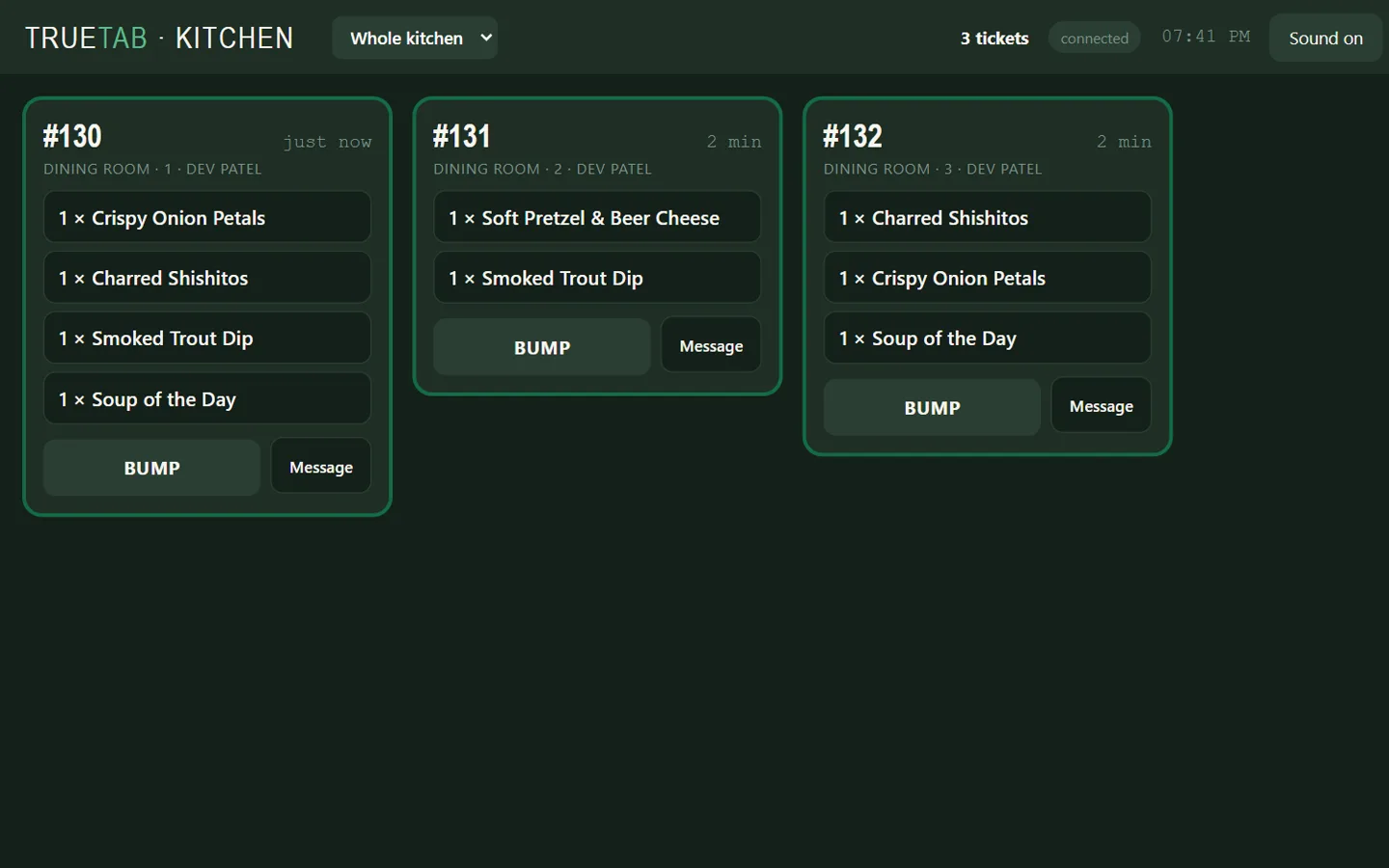
Add the optional cellular backup, and card payments run while the restaurant's internet is out.
A kitchen screen that stops answering hands its tickets to the station's printer.
Staff PINs live on the box. A backup every night, kept on the box and off it.
Tips split fairly.
To the cent.
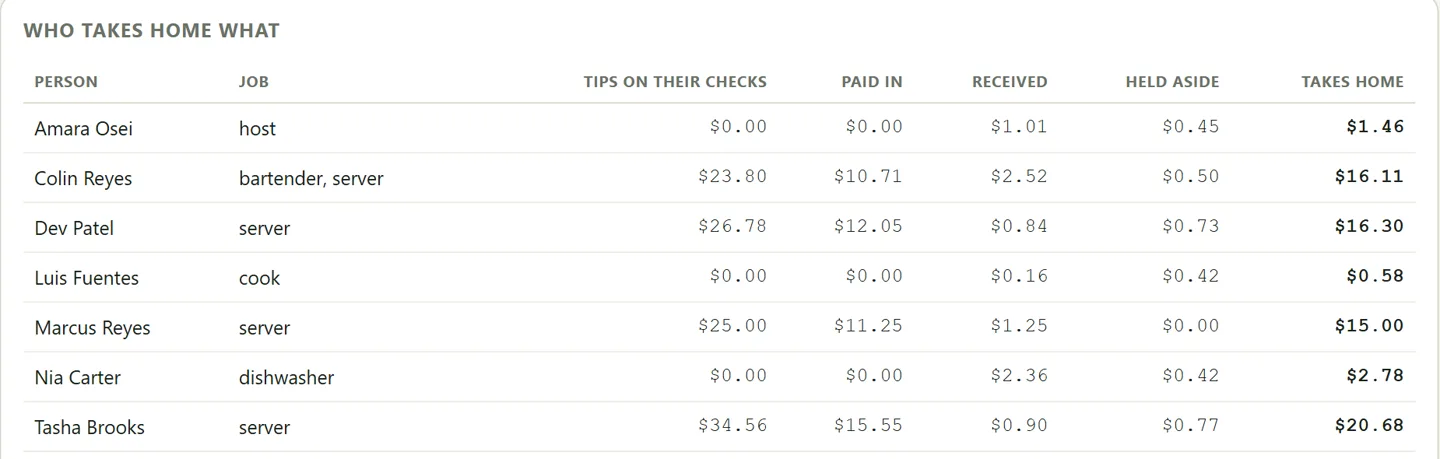
Tip-outs are worked out shift by shift, so the lunch busser doesn't share the dinner server's tips. Each tip follows whoever held the check when it closed.
Catch the void
that needs a look.
From the couch, you look over the night. Till Watch flags the patterns behind most till losses, each with the whole story, minute by minute.
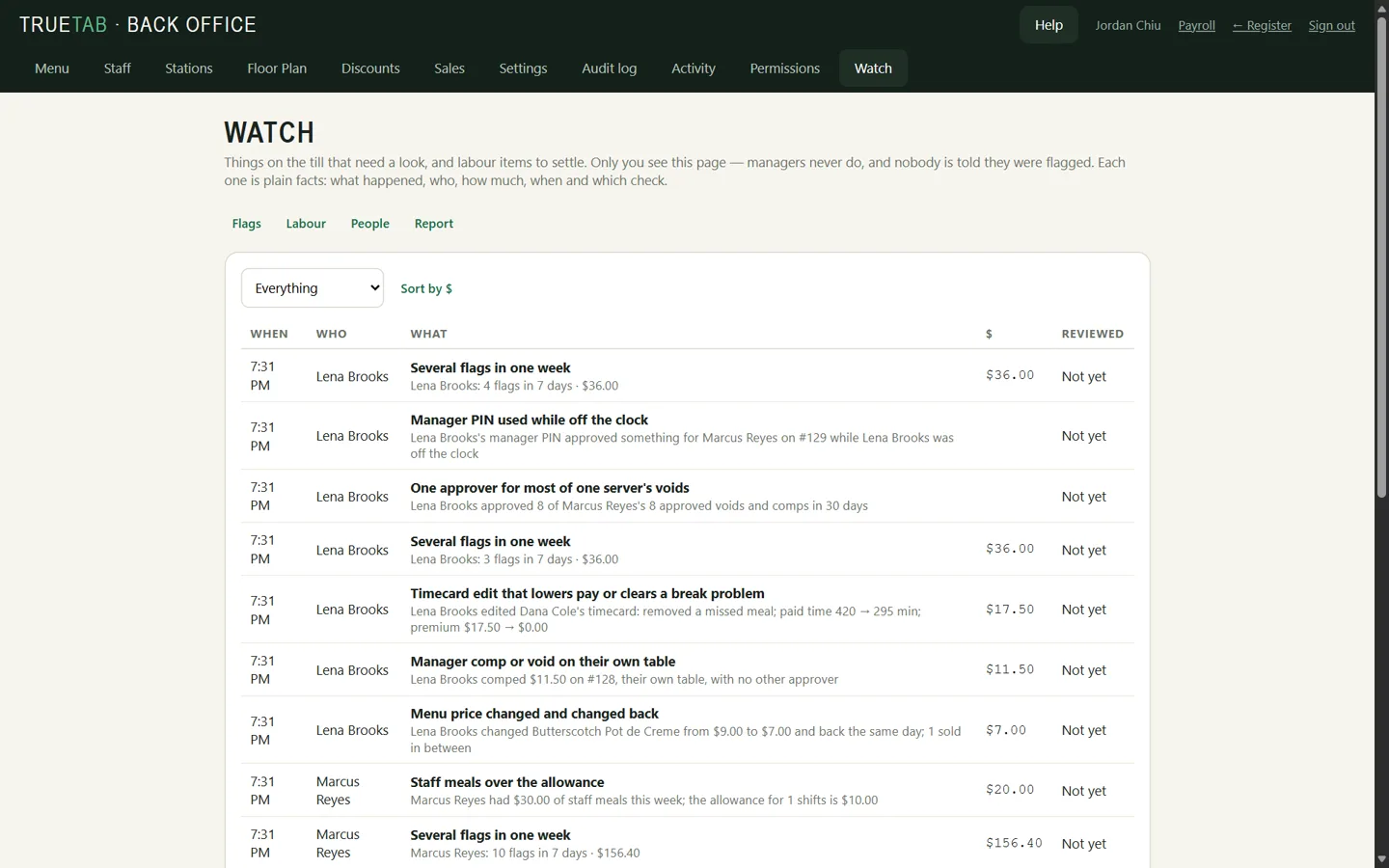
Managers never see the flags, and nobody is told they were flagged.
Choose for each kind of flag.
Most POS systems give you a void report to read yourself, or a loss-prevention add-on you pay for separately.
Run it without
living there.
Most owners can't step away because the restaurant needs them: for every void, every number, every message to the team. TrueTab sends those to your phone, so you can be home for dinner, at your other place, or actually off.
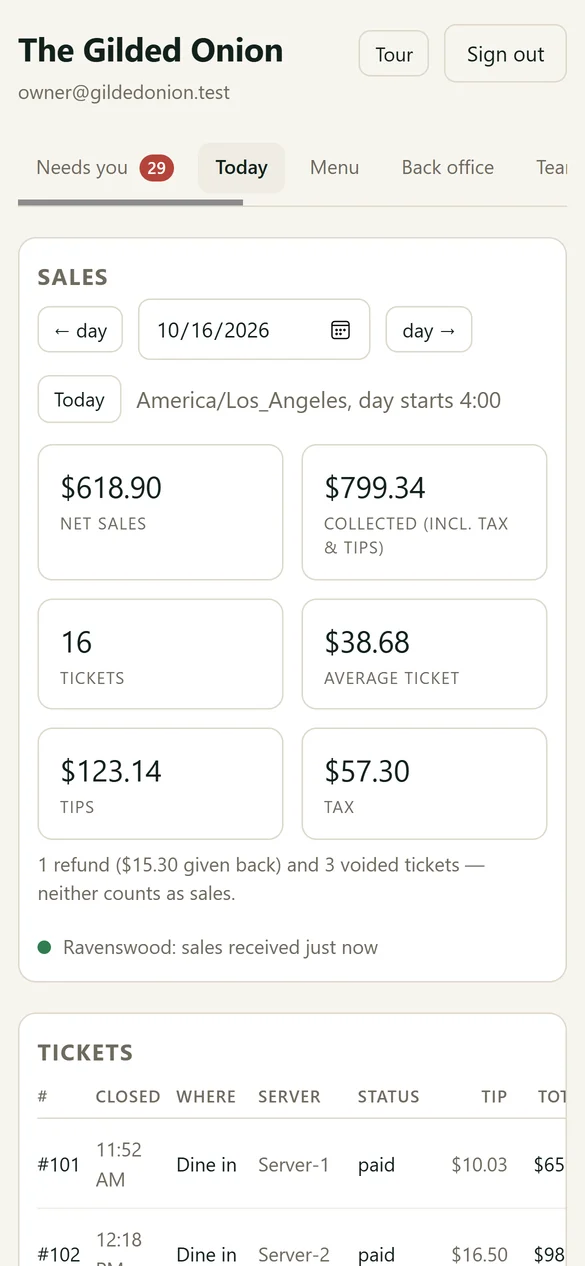
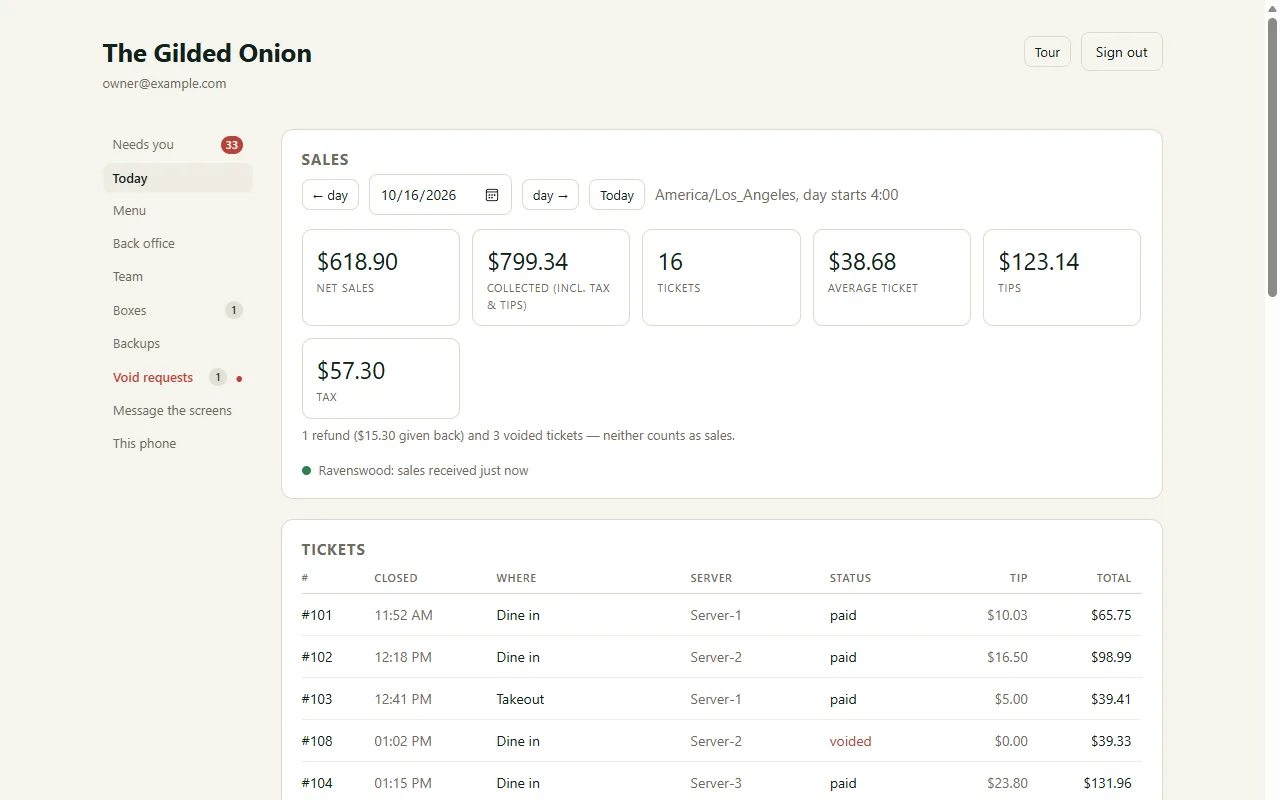
Net sales, tips, every check and who sold what, sent up from the restaurant through the night. No calling in for numbers.
A void request arrives with the server's reason. Approve it or say no, and the register does the rest within a minute.
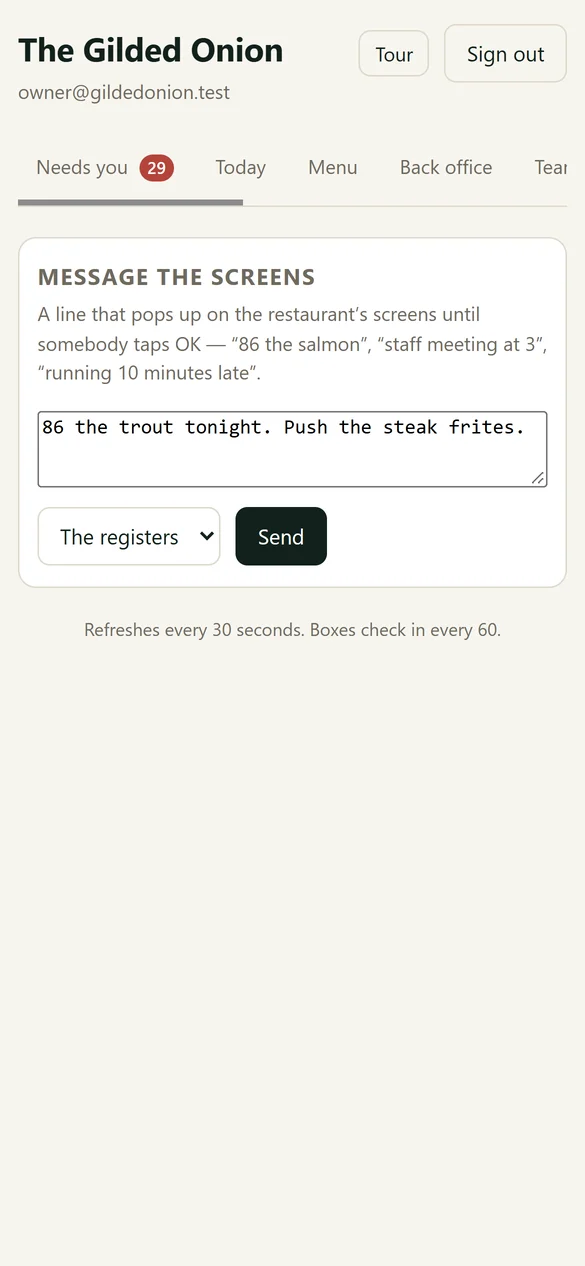
“86 the trout.” “Staff meeting at 3.” On the registers or in the kitchen.
Dishes, prices and menus, sent to the tills when you press Publish.
Add someone, change a role or reset a PIN in the back office.
Till Watch tells you right away, once a day, or in a weekly email.
Break Watch counts down every meal break and warns your managers first.
Every till's health and its backups, and a buzz if there's a problem at the restaurant.
Most POS systems are built for whoever is standing at the register. TrueTab is built for the owner who isn't.
Now be the owner.
This is app.truetabpos.com, the owner's app, signed in to the same demo restaurant. Look over tonight, answer what needs you, change the menu. It's the real app; only the restaurant is pretend.
- Void requests: Server-2 is waiting on a steak. Approve it or say no.
- Needs you: tonight's flags. Open What happened, then mark one Looks fine.
- Today: sales, tips and every check. Tap one to see what was on it.
- Go back a day, or total up a week.
- Menu: change a price, Preview changes, then Publish to the tills.
- Message the screens: “86 the trout.”
- Back office: staff, floor plan, settings.
And everything
you'd expect.
Table status, minutes seated, combine and move parties.
By station, with bump, recall and live 86 counts.
By seat, by item or evenly.
Hold and fire, or fire the next when the last is up.
Cooks punch in at the kitchen screen.
Keyed in one after another on a keypad.
Sales, tips and cash owed at clock-out.
Finds what's wrong and says how to fix it.
Overtime, meal premiums, sick leave and pay stubs.
Sales by day and server, plus a weekly email.
Updates install themselves at a quiet moment.
See it at
your table.
We bring a whole restaurant on one tablet: menu, staff, kitchen screen and all. Ring an order, send it to the kitchen, split the check, and see what TrueTab tells you.
Your inquiry went to info@truetabpos.com. We'll reply to the email you gave us.
Send it to info@truetabpos.com from your own email instead. Your message is below, ready to copy.